
What does pre-signature mean?
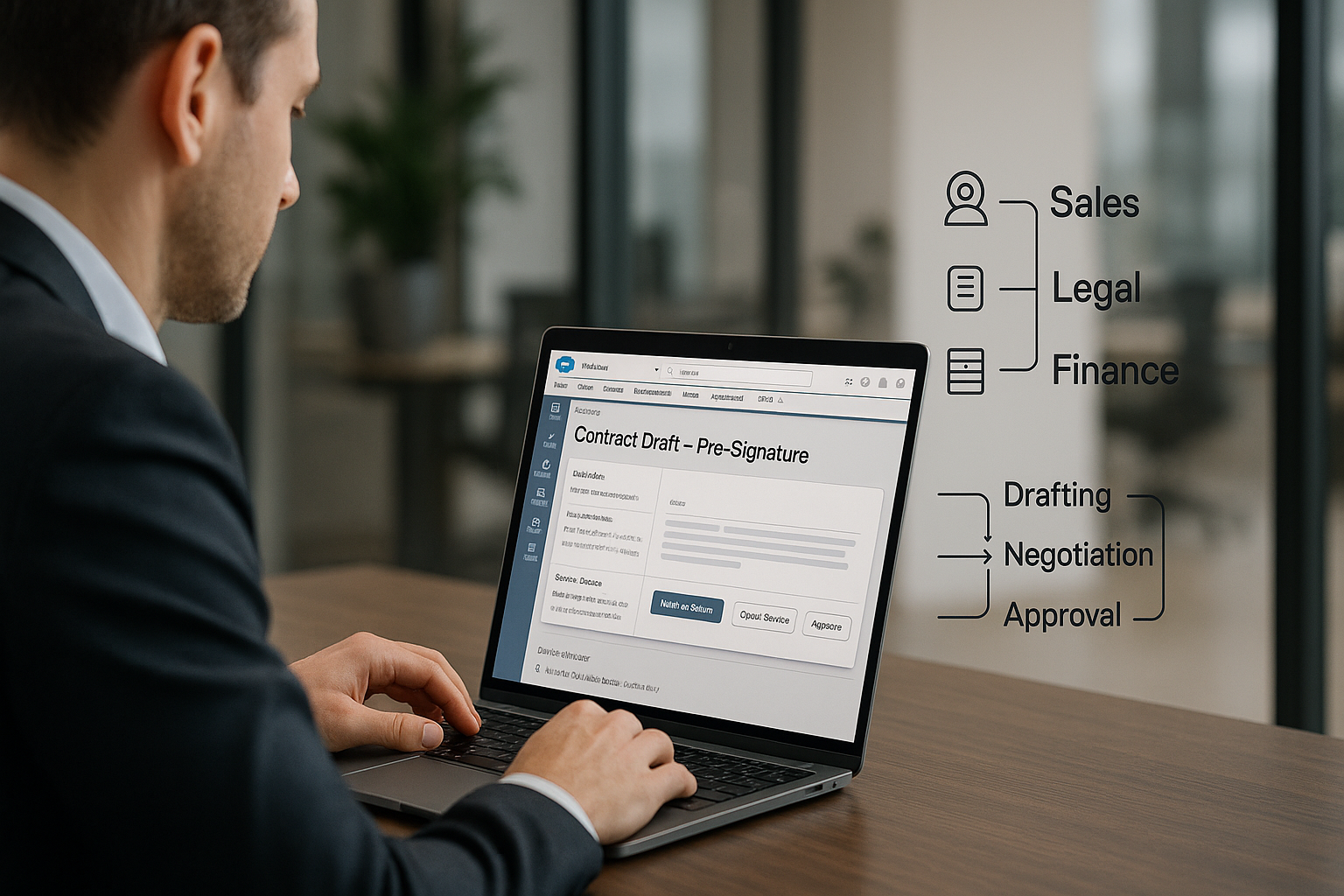
Before a contract is ever signed, a lot is happening behind the scenes – drafting, data entry, reviewing, redlining, internal reviews, and chasing approvals. It’s like a relay race where every team from sales, legal, and finance needs to pass the baton smoothly. But in most companies, someone always trips. Sales might be updating the CRM while legal is buried in email threads, and finance is waiting on a version that no one can locate.
The result? Bottlenecks, delays, and lost visibility. Teams work hard, but not together. Documents get lost in inboxes, edits go unnoticed, and approvals stretch out longer than they should. Deals that could close in days take weeks, all because the systems don’t talk to each other.
That’s where a Salesforce API integration for pre-signature makes a difference. It connects contract management directly within Salesforce, helping teams collaborate faster, stay aligned, and eliminate the manual back-and-forth. Tools like smartContract CLM integrate every pre-signature step into Salesforce so teams don’t have to switch apps.
Now that we’ve seen why the pre-signature stage matters, let’s look at how it works in Salesforce, from the first draft to the final handoff before signature.
Where does the integration actually live inside Salesforce?
It all begins with where the integration actually lives inside Salesforce. A native integration includes pre-signature functions directly within your CRM rather than forcing teams to switch apps. It uses Salesforce’s API to work with standard records such as accounts and opportunities. It also works with custom objects that mirror your sales process. Sales teams can start, track, and finalize contracts directly from the deal record. All status updates, versions, and approvals sync in real time, keeping everyone on the same page.
Since it connects directly to Salesforce’s data model, the integration pulls details from existing fields, fills contracts, updates statuses, and tracks every change for complete visibility.
In short, pre-signature work is done in Salesforce from the first draft to final approval. At the same time, sales activity continues without interruption. It’s the core value of a Salesforce API integration for pre-signature.
Drafting that keeps deals moving
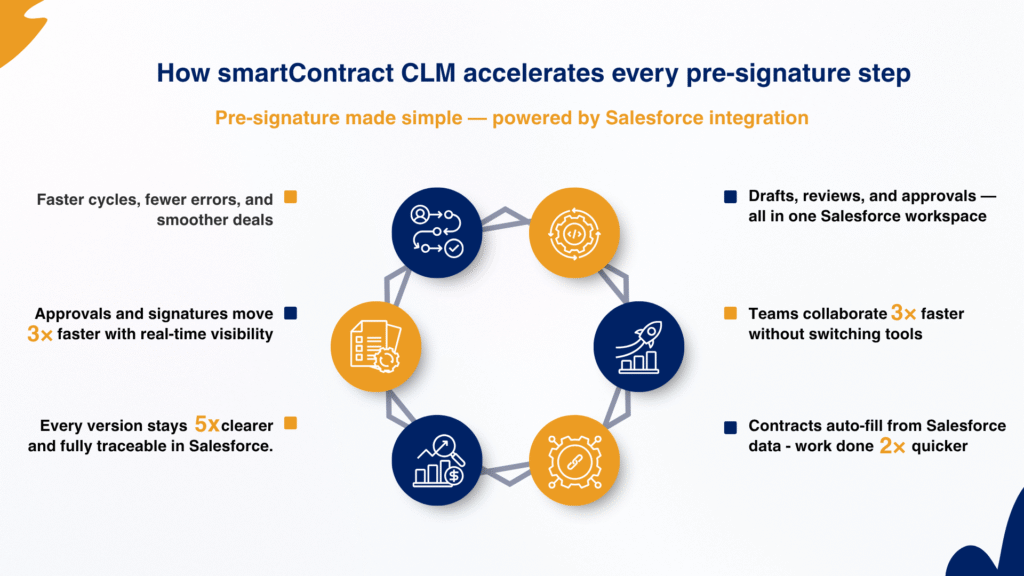
Drafting is often the stage where momentum slows. Sales waits on legal for templates while legal waits on Salesforce for data, and by the time everything aligns, the deal has already lost speed. A native integration breaks that cycle by letting sales reps create contract requests directly in Salesforce.
They can start from pre-approved templates for standard deals or submit a request form when legal needs to handle more complex agreements. Coordinated workflows specify which actions sales can complete and which require legal approval, while legal maintains control over templates, fields, and rules.
Tools like smartContract CLM let reps draft instantly from the opportunity or account record, pulling names, values, dates, and customer information straight from Salesforce into the contract. This saves time and reduces manual errors. Well-coordinated workflows keep every draft on track through intake forms, automated legal notifications, and safety checks that ensure every document follows the approved template.
Pre-approved and Q&A-driven templates speed drafting and cut errors
Q&A-driven templates speed drafting and cut errors. Rather than filling dozens of fields, users simply answer a few guided questions like, Who’s the counterparty?, What’s the deal size?, Which region applies? After this, the template automatically fills the document systematically.
Legal controls the templates, but it is designed for sales. It uses pre-approved clauses and alternative wording so sales teams can draft quickly without risking compliance. Behind the scenes, the integration links each question to Salesforce fields, keeping contracts tied to CRM data. When names, counterparties, or billing amounts change, the document updates automatically.
This connection provides legal with full pre-signature context, accurate details, and a clear history, so reviewers can focus on the essential things rather than reconstructing facts. smartContract CLM’s automation powers this simplicity, giving both teams the speed and confidence to move forward.
Negotiations that stay inside Salesforce
Negotiation is often where clarity fades and versions multiply. A reliable Salesforce API integration for Pre-signature creates a negotiation hub within the CRM, helping teams keep version control and counterparty replies organized right where sales manage their deals.
Every upload, edit, and counterparty email is tracked with date and time and automatically stored in the Salesforce record. The system tracks and numbers each draft and maintains a complete audit trail. When a counterparty replies by email with redlines, the integration recognizes the response and uploads it as a new version. It does not display the inline redline changes inside Salesforce, but users can view the actual edits by opening the document. Sales teams still get complete visibility because every new draft is stored and synced in sequence, ensuring nothing gets lost in inboxes.
Collaborate, approve, and sign all inside Salesforce
Contracts are rarely a one-person job. Sales needs quick responses, legal needs precision, and finance needs visibility. Without proper integration, each team ends up working in silos. A Salesforce API integration bridges that gap with built-in collaboration tools. The activity feed captures everything from internal comments and approvals to email threads and chat messages. Hence, the whole history of every deal lives in one place.
Approvals can be configured at any stage, giving managers, legal, and finance teams a straightforward way to review and approve documents directly in Salesforce. Everyone can see where a document sits in the process and who’s responsible for the next step. Once the document clears approvals, it’s marked as “Ready for Signature.” From there, it can be automatically routed to an e-signature tool such as DocuSign, Adobe Sign, or a native signing system without ever leaving Salesforce. Status updates flow back to Salesforce automatically, showing whether a contract is out for signature, partially signed, or fully signed. So, sales teams always know the latest status.
This is also where smartContract CLM shines again, automating signature routing and pulling the completed contract back into Salesforce. The final document is stored securely in the repository, and every version, comment, and approval remains fully traceable.
The result? Sales can close deals faster, Legal maintains complete visibility, and the entire business stays aligned through one unified workflow.
smartContract CLM + Salesforce api integration: A faster way to close deals
Deals lose speed long before the signature, usually somewhere in the handoff between teams. Every missing field, redline email, or delayed approval takes time away from closing the deal. That’s why a salesforce api integration for pre-signature matters more than ever. It connects every stage from drafting, negotiation, approvals, and signing into a single workspace in Salesforce, keeping data accurate and teams aligned.
With smartContract CLM, that process becomes effortless. It incorporates intelligent templates, version tracking, and approval flows directly into Salesforce. Resulting in delivering proper contract lifecycle management that helps teams move faster and stay compliant.
When pre-signature work happens where your sales teams already operate, deals keep their rhythm – closing faster, cleaner, and with every detail right where it belongs.
FAQs
It brings every pre-signature task, from drafting to approvals, directly into the CRM. Teams can work on contracts where the deal data already lives, reducing back-and-forth between tools.
It connects contract data and deal information in real time, removing manual entry and version confusion. Sales and Legal can collaborate in one workspace, keeping the process quick and accurate.
It sits on standard objects like Accounts and Opportunities or custom ones tied to your sales process. This allows users to draft, track, and approve contracts right from the deal record.
Every upload, edit, and redline is tracked automatically in Salesforce. The system numbers versions, records timestamps, and maintains a full audit trail for complete transparency.
Yes. Proper integrations include role-based access, audit logs, and secure storage. Legal and Finance get complete visibility while maintaining compliance and control.